
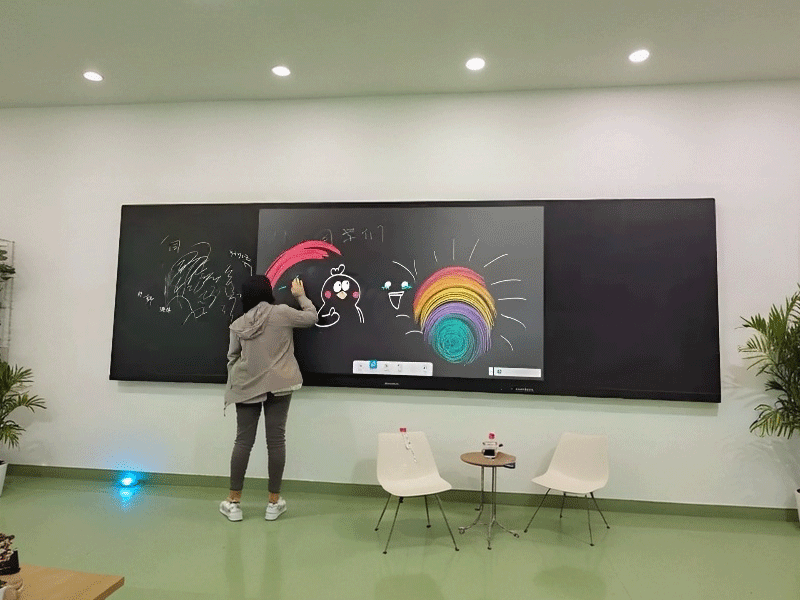
Lcd led digital intelligent 4k touch screen interactive panel whiteboard nano smart classroom blackboard
teaching nano blackboard-9
Price: 800


Troubleshooting & Maintenance: Solutions for Touch Failure & System Switching Issues
1. Touch Malfunction Diagnosis
1.1 Basic Checks
Step 1: Verify screen protector compatibility (OEM recommended)
Step 2: Check stylus battery (green LED = normal)
Step 3: Hard reboot (hold power 10s)
1.2 Advanced Diagnostics
google display advertising companies
google display advertising companies
google display advertising companies
google display advertising companies
Symptom | Possible Cause | Solution |
Dead zones | Capacitive grid damage | 25-point calibration → Replace |
Stylus works/finger fails | Palm rejection enabled | Settings → Touch → Disable "Palm Rejection" |
Intermittent touch | 2.4GHz interference | Switch to 5GHz WiFi |

Component | Lifespan | Replacement Guide |
Stylus tip | 500k clicks | Twist counterclockwise → Snap new tip |
Cooling fan | 3yrs/20k hours | Professional service required |
Battery | 5yrs | Contact authorized service |
Requirement: Active internet connection

Related Products


Display performance image quality advantages portable TV screen machine
bestie tv machine-5

Multi size all in one information LCD touch inquiry interactive horizontal display kiosk machine screen (B)
horizontal inquiry machine- 17
Ruiguan waterproof indoor WiFi LED GOB signage digital display poster splicing advertising machine screen
splicing advertising machine -16
Custom digital signage floor standing advertising display player kiosk full touch screen machine
Vertical Advertising Machine -10
Waterproof outdoor wall mounted lcd led advertising machine kiosk IP65 digital signage totem display screen
outdoor wall mounted display machine-17